Noise and fireflies in Cycles: causes and fixes
Grain and stray white dots (fireflies) are what an unfinished path tracer looks like. Cycles has only traced a few paths per pixel, and some of them found a very bright spot by luck. Interiors get it worst, because most of the light arrives after a bounce or two. The fixes come in this order: denoise, then remove what causes the fireflies, then add samples.
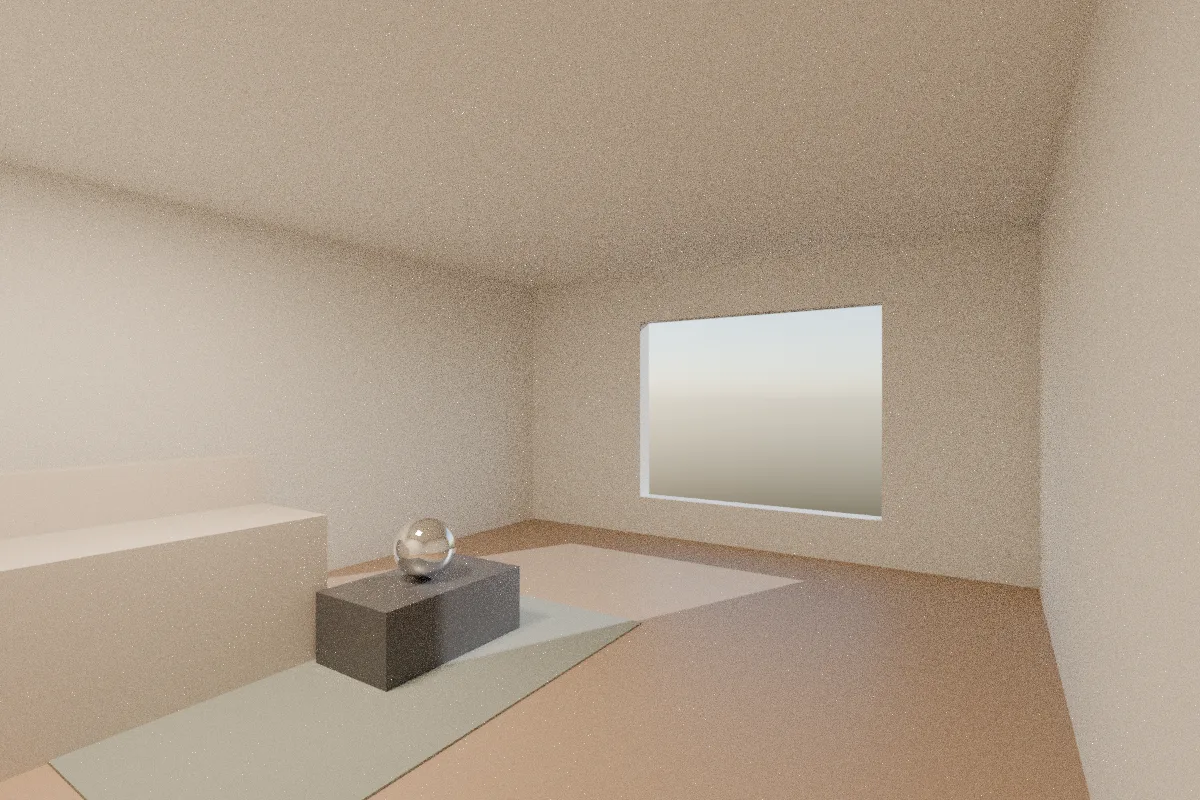
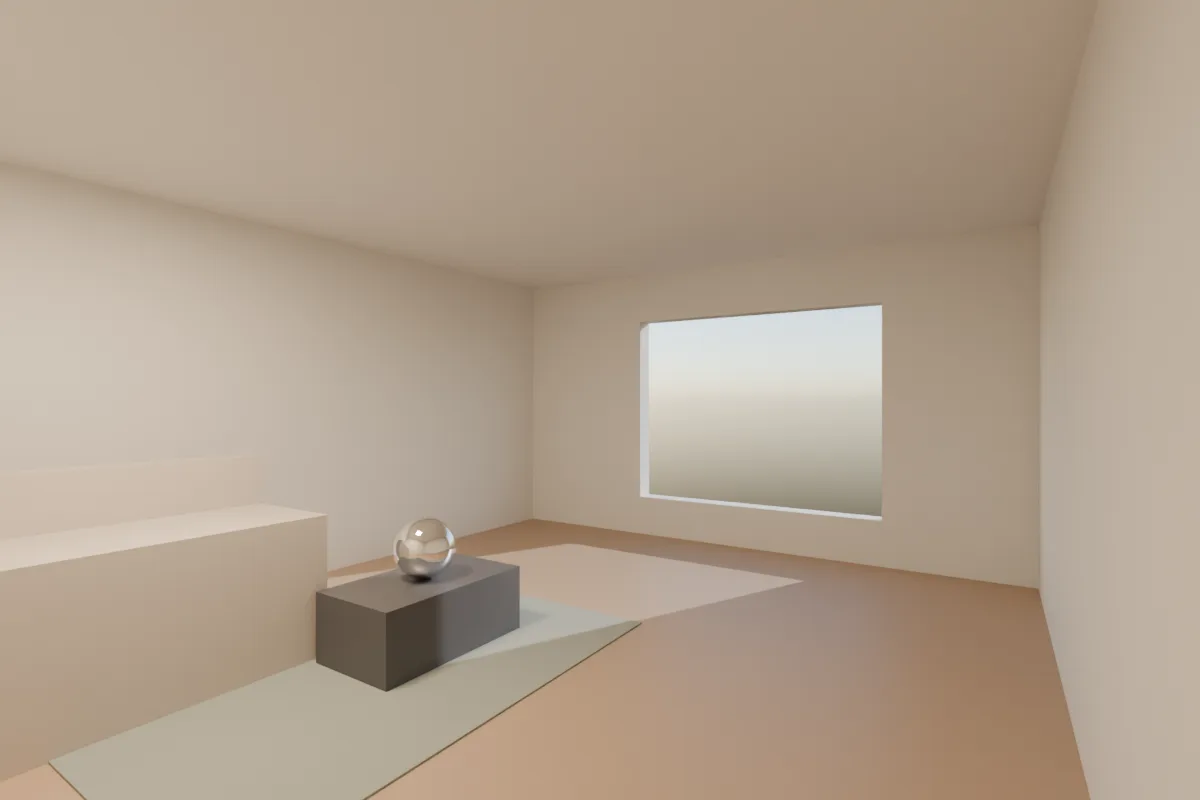
Our own test scene in Blender 4.5, Cycles, adaptive sampling off so both get exactly 32 samples per pixel. This room shows grain rather than fireflies, so the pair shows what denoising does. Same camera, lights and exposure. Render times 53 s and 60 s on a 4-core 2020 laptop CPU.
1. Turn on the denoiser and set it up
In Render Properties > Sampling > Render, tick Denoise (on by default in new files). Then open its options:
- Denoiser: OpenImageDenoise gives the best quality and runs on any computer. OptiX appears only on NVIDIA cards set up under Preferences > System.
- Passes: Albedo and Normal. The manual warns that None can blur detail, especially at low sample counts. Albedo and Normal keep texture and edges sharp.
- Prefilter: Accurate (default). Quality: High for finals.
- Use GPU: if you have a supported GPU, denoising on it is much faster, even when Cycles itself renders on the CPU (from 4.2).
Denoising can't invent detail that isn't there. If a render looks waxy or blotchy, with smeared corners and wobbly texture, the denoiser had too little to work with. That needs more samples, not a different denoiser.
2. Let the noise threshold decide the samples
With Noise Threshold ticked (the default), Cycles stops sampling each pixel once it's clean enough, up to the Max Samples limit. The manual gives 0.1 to 0.001 as the typical range, and lower is cleaner and slower. The default is 0.01.
- Stills for a client: 0.01, or 0.005 for a hero image.
- Drafts: 0.05 to 0.1. See faster preview renders.
- If the room stays noisy at a low threshold, raise Max Samples. The threshold can't finish the job if the sample limit stops it first.
3. Fireflies: find the cause
A firefly is one sample that hit something far brighter than its surroundings. The denoiser often turns each one into a blob. The fixes, from the Blender manual's own list:
- Clamp Indirect (Light Paths > Clamping). The default is 10. Try 3 to 5 if dots remain. It caps how bright a bounced sample can be, so it also dims some real bounce light. Leave Direct at 0 (off), so highlights the camera sees directly stay bright.
- Filter Glossy (Light Paths > Caustics). It's 1.0 in new files, the manual's suggested starting value, so check that an old file or a preset hasn't set it to 0. It blurs sharp reflections seen through rough ones, a classic firefly source in rooms with glossy floors and chrome.
- Caustics: untick Reflective and Refractive if you don't need light focused by glass or metal. You lose some light, which few viewers notice.
- Small, very bright lights: a tiny emissive bulb visible in a glossy surface is a firefly generator. A slightly bigger, dimmer light gives a similar look with much less noise.
- Pure white materials: the manual suggests keeping colours at 0.8 or less. Real paint isn't 1.0, and near-1.0 surfaces keep light bouncing around.
4. Interiors: help Cycles find the light
- Portals in each window tell Cycles where the sky is. Set up as in interior lighting.
- Path Guiding (Sampling > Path Guiding, CPU rendering only) learns where light comes from during the render. The manual's example is exactly the archviz case: a room lit through a small opening.
- Light Tree (Sampling > Lights, on by default) helps when a room has many lamps.
5. Denoise later in the compositor
To keep a noisy original and denoise afterwards, tick Denoising Data in View Layer > Passes > Data, render with Denoise off, then use a Denoise node in the Compositor fed with the image, albedo and normal passes. Useful when you want to compare settings without rendering again.
EEVEE
EEVEE doesn't produce path-tracing grain in the same way. Its noise shows in soft shadows, reflections and volumes, and it falls with more Render Samples (default 64). From 4.2 it also has its own Clamping settings against fireflies, separate from Cycles'.
Or render it in one click
If the room needs to look finished tonight and the samples can wait, Partilock, the Blender add-on we build (macOS), sends the camera view to an AI image model and returns the image in about a minute. A real 2K render, unretouched:
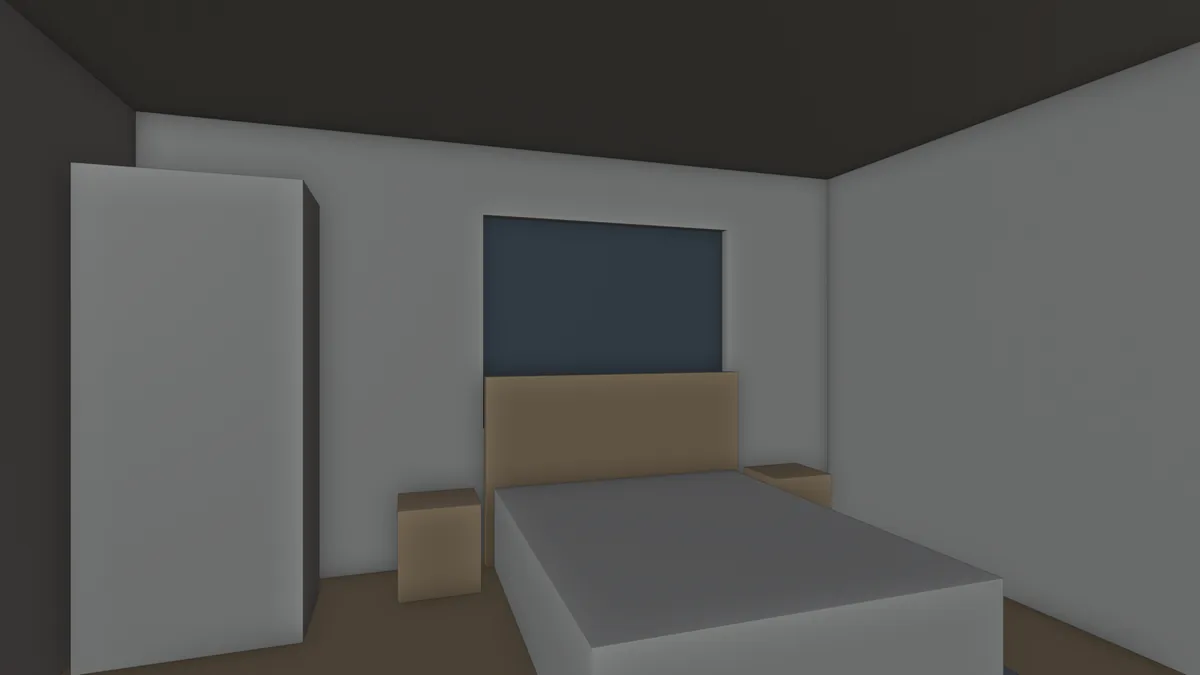
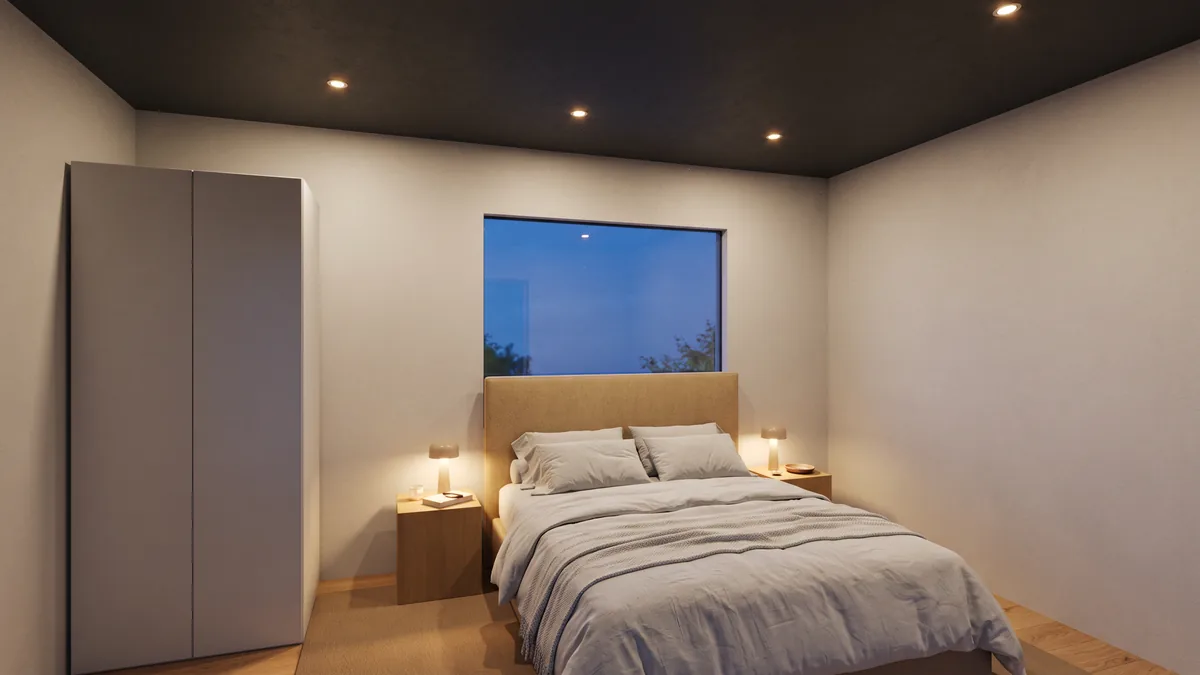
The model has a bed frame, bedside tables and a wardrobe. The render added the bedding, lamps, downlights and the view outside, and kept the layout and camera.
It's an image, not geometry, and it can add small fittings, so check it before a client sees it. 2 free renders to try (1K, watermarked), then 2K from $9 for 18. Install guide, pricing.